

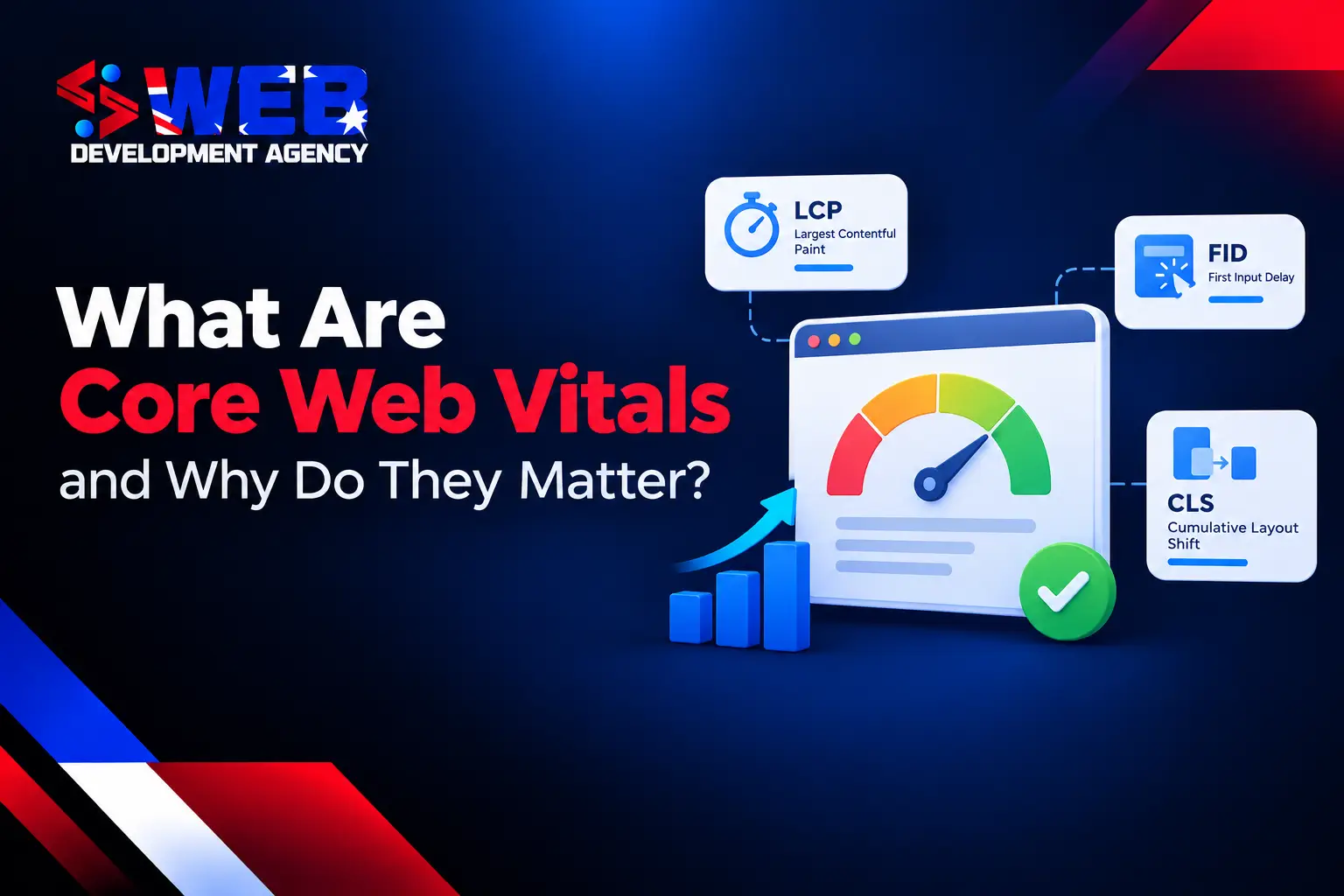
Core Web Vitals are Google’s performance metrics for measuring loading performance, responsiveness, and visual stability. The three current metrics are Largest Contentful Paint (LCP), Interaction to Next Paint (INP), and Cumulative Layout Shift (CLS). These metrics help you understand whether visitors can access important content quickly, interact with your website without delays, and use pages without unexpected movement.
Core Web Vitals matter for website performance and SEO because poor technical performance can create friction before visitors read content, submit forms, compare products, or complete purchases. Core Web Vitals are one part of Google’s ranking systems, so you need to treat performance as a technical SEO priority without treating performance scores as a replacement for relevant, useful content.
What Are Core Web Vitals?
Core Web Vitals are three measurable signals that assess important parts of the page experience. LCP measures how quickly the largest visible content element loads. INP measures how quickly the page responds to user interactions. CLS measures how much visible content shifts unexpectedly.
Google uses these metrics to assess real-world experience across different devices and network conditions. A website can have attractive design and strong content but still create a poor user experience when the main content loads late, buttons respond slowly, or banners move existing content.
The Three Core Web Vitals Metrics Explained
Each Core Web Vitals metric measures a different performance area. You need to review all three because a page can perform well in one area while failing another.
Largest Contentful Paint (LCP)
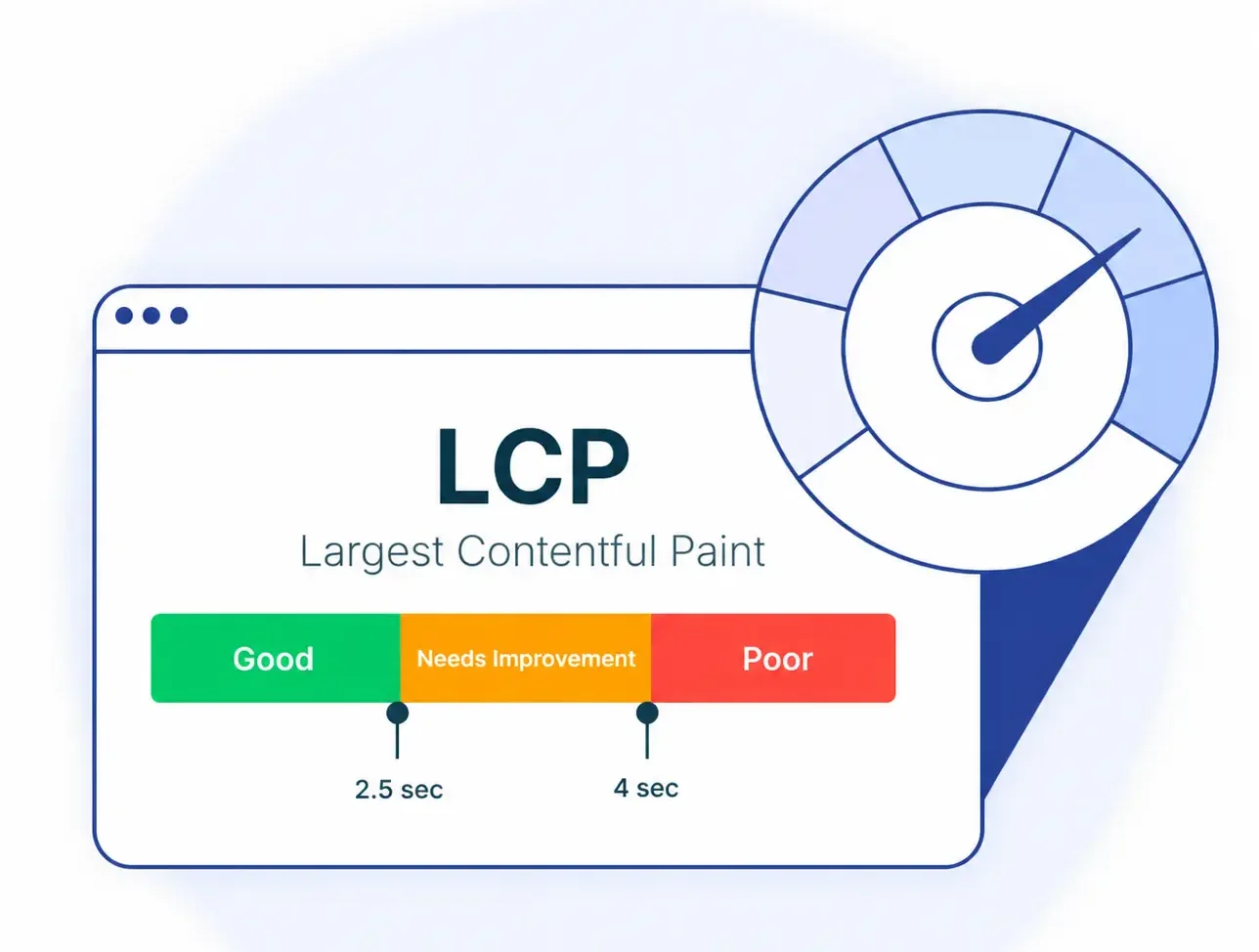
Largest Contentful Paint measures how long the largest visible content element takes to load. The element may be a hero image, main heading, video poster, banner, or large text block.
A good LCP score is 2.5 seconds or less. A score above 2.5 seconds and up to 4 seconds needs improvement, while a score above 4 seconds is poor. Slow server response, large images, render-blocking resources, heavy stylesheets, and delayed resource discovery can increase LCP.
To improve LCP, compress and resize important images, improve server response time, use effective caching, reduce unnecessary CSS and JavaScript, and prioritise critical above-the-fold resources. Avoid lazy loading of the primary content that visitors need immediately.
Interaction to Next Paint (INP)
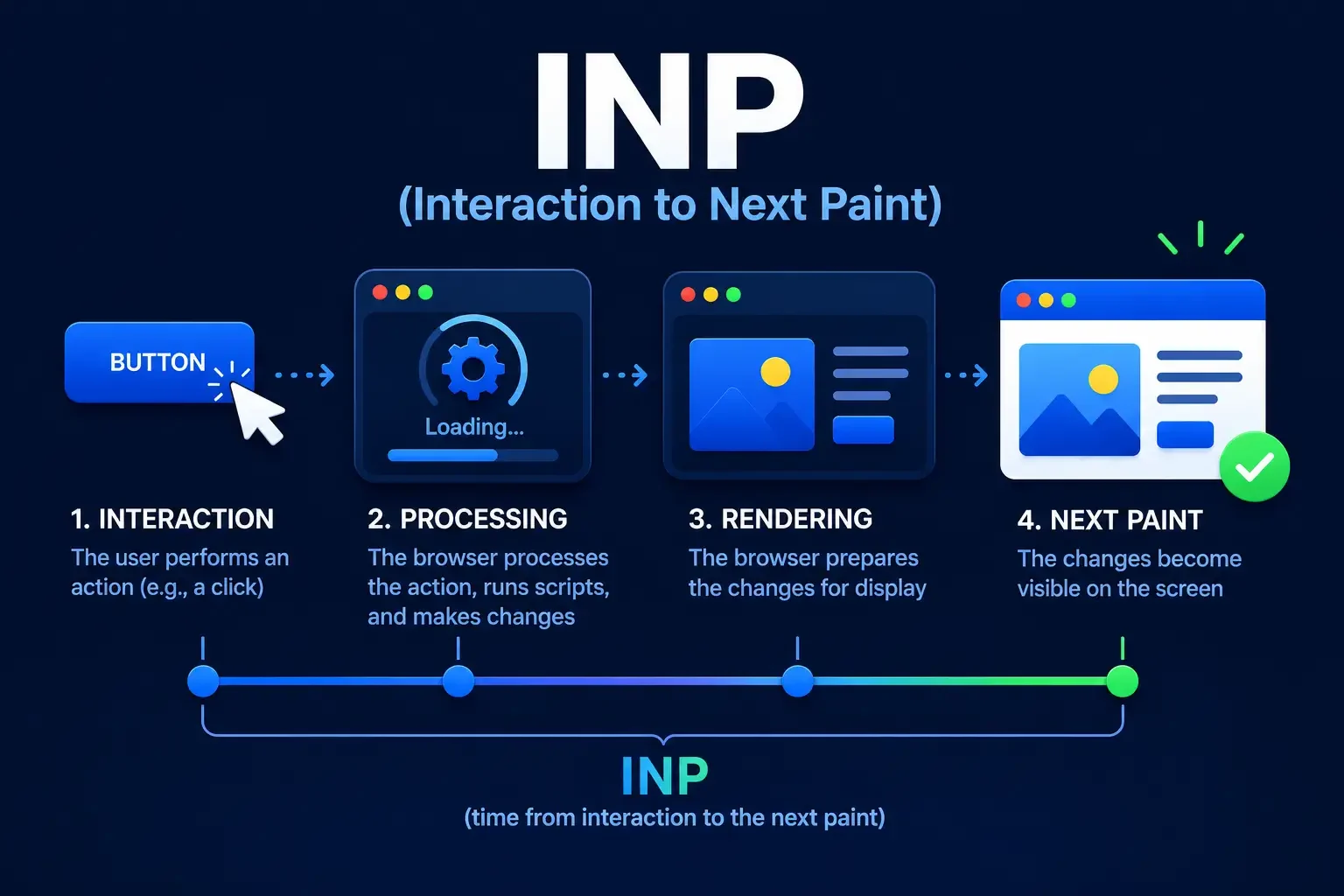
Interaction to Next Paint measures how quickly a page responds after a visitor clicks, taps, or uses a keyboard control. INP evaluates responsiveness across interactions during the visit, making it a broader measure than First Input Delay (FID).
A good INP score is 200 milliseconds or less. A score above 200 milliseconds and up to 500 milliseconds needs improvement, while a score above 500 milliseconds is poor. Heavy JavaScript, long tasks, third-party scripts, and complex event handlers can create interaction delays.
To improve INP, reduce unnecessary JavaScript, remove unused code, break long tasks into smaller tasks, limit third-party scripts, and simplify event handlers. Faster response matters on menus, filters, forms, calculators, checkout pages, and other interactive features. Effective web application development can help ensure that complex interactive features support a responsive user experience.
Cumulative Layout Shift (CLS)
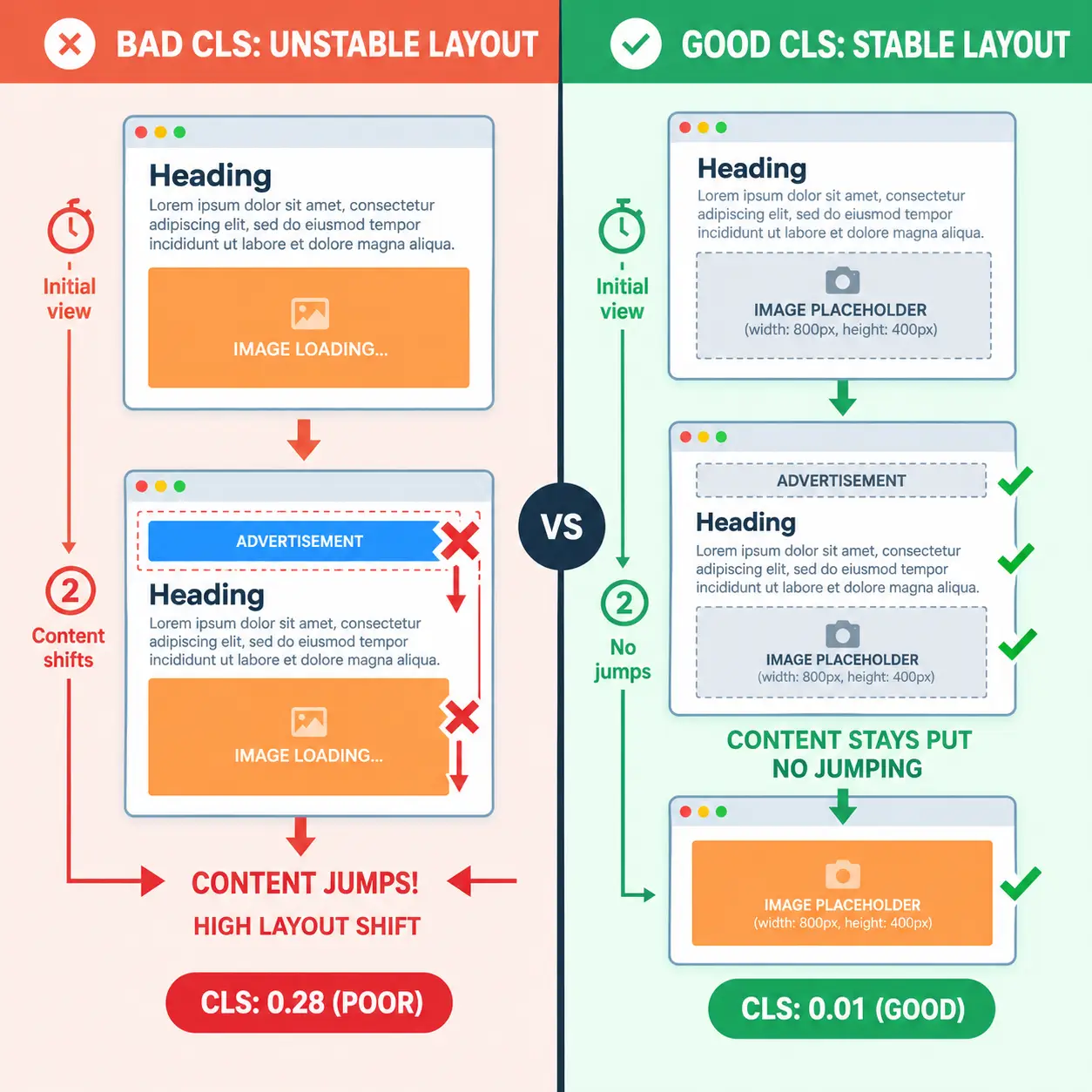
Cumulative Layout Shift measures unexpected movement of visible page elements. A high CLS score can cause visitors to lose their reading position or select the wrong control when content moves after the page appears.
A good CLS score is 0.1 or less. A score above 0.1 and up to 0.25 needs improvement, while a score above 0.25 is poor. Missing image dimensions, late advertisements, embedded content, promotional banners, cookie notices, and font changes can cause layout shifts.
To improve CLS, reserve space for images, videos, advertisements, and embeds before those resources load. Avoid inserting content above existing text after visitors begin reading, and control font loading and dynamic interface elements carefully.
Core Web Vitals Thresholds
Google evaluates Core Web Vitals using thresholds for good, needs improvement, and poor performance. LCP is good at 2.5 seconds or less, INP is good at 200 milliseconds or less, and CLS is good at 0.1 or less.
Google generally evaluates whether at least 75 percent of visits meet the relevant standard. Search Console reports mobile and desktop performance separately because device capability, browser conditions, and network quality can affect real-world results.
Why Core Web Vitals Matter for SEO
Core Web Vitals matter for SEO because website performance affects the experience visitors receive from search results. A fast page helps visitors reach useful content sooner, responsive interactions reduce friction, and stable layouts reduce accidental clicks.
Core Web Vitals are a ranking factor, but Core Web Vitals do not override relevance, content quality, search intent, authority, or other ranking systems. A fast page with weak content cannot become the best result solely through strong performance scores.
For SEO professionals and business owners, Core Web Vitals provide measurable technical signals that can reveal performance problems. Improving those problems can support engagement, conversions, and the overall quality of the user journey.
How to Check Core Web Vitals
Google Search Console provides a Core Web Vitals report based on real user field data. The report groups affected URLs into Good, Needs Improvement, and Poor categories and separates mobile and desktop results. URL groups can help you identify problems caused by shared templates.
Google PageSpeed Insights helps you test individual URLs and review field data, lab diagnostics, and performance recommendations. Lighthouse provides controlled lab testing that is useful for debugging and comparing technical changes.
Chrome User Experience Report (CrUX) provides real-user field data from eligible Chrome users. Field data reflects actual devices, browsers, locations, and network conditions, while lab data uses controlled testing conditions. Use field data to understand real experience and lab tools to investigate likely causes.
How to Improve Core Web Vitals
To improve Core Web Vitals, prioritise high-impact problems instead of chasing perfect scores on every page. Start with Poor URLs in Search Console, then review pages that generate significant traffic, enquiries, sales, or important search visibility. If recurring performance problems require structural changes to your website, professional website development services can help address issues with page structure, scripts, and overall site performance.
Fix repeated template problems before isolated low-traffic issues. A shared image component, JavaScript feature, banner, or layout pattern can affect many URLs, so one technical fix can improve performance across a large section of the website.
Focus on image optimisation, server response time, caching, JavaScript execution, render-blocking resources, and layout stability. Set dimensions for media, reduce unnecessary scripts, defer non-critical resources, and reserve space for dynamic content.
Common Core Web Vitals Mistakes
One common mistake is treating a Lighthouse score as the final performance result. Lighthouse provides valuable lab diagnostics, but Search Console field data shows how real visitors experience the website.
Another mistake is focusing only on desktop performance. Mobile users may have weaker connections and less processing power, which can expose problems that powerful desktop devices hide. Responsive web design helps your website adapt its layout to different screen sizes, although you still need to test loading speed and interaction performance separately.
Using outdated First Input Delay guidance is another mistake. INP replaced FID as the current responsiveness Core Web Vital, so optimization should address interactions throughout the page visit.
Core Web Vitals Do Not Measure Everything
Core Web Vitals do not directly measure content accuracy, originality, accessibility, brand trust, visual quality, or lead quality. Strong performance scores cannot compensate for unclear content, weak search intent alignment, poor design, or a confusing conversion process.
Core Web Vitals should therefore form part of a wider website performance strategy. Technical SEO, content quality, development, design, analytics, and conversion optimization need to work together to create a website that performs well and serves visitors effectively.
Frequently Asked Questions
What are Core Web Vitals?
Core Web Vitals are three Google performance metrics that measure loading performance, responsiveness, and visual stability. LCP measures main content loading, INP measures interaction responsiveness, and CLS measures unexpected layout movement. These metrics help you assess real-world page experience across devices and network conditions.
How to pass the Core Web Vitals assessment?
To pass Core Web Vitals assessment, ensure your pages meet the good thresholds for LCP, INP, and CLS across real user visits. Improve server response, images, JavaScript execution, interaction handling, and layout stability, then monitor field data in Google Search Console.
What is considered a good Core Web Vitals score?
A good Core Web Vitals score means LCP is 2.5 seconds or less, INP is 200 milliseconds or less, and CLS is 0.1 or less. Google generally assesses whether at least 75 percent of visits meet the relevant standard for each metric.
What are the three main Core Web Vitals metrics?
The three main Core Web Vitals metrics are Largest Contentful Paint, Interaction to Next Paint, and Cumulative Layout Shift. LCP measures loading performance, INP measures responsiveness, and CLS measures visual stability. Together, the metrics cover three major parts of the user experience.
How do Core Web Vitals affect Google rankings?
Core Web Vitals affect Google rankings as part of its ranking systems and page experience signals. Strong performance can support competitiveness, but Core Web Vitals do not replace relevance, content quality, search intent, authority, or other factors that determine search visibility effectively.